
MusicFlick built this 14-second, 4:3 365 elevator trend generator for TikTok and Reels creators turning two solo portraits into the unexpected-duo elevator clip. Watching examples is free; personalized runs require purchased credits starting at 578 credits ($5.78 at $0.01/credit, smallest covering pack $9.90 Starter for 900 credits) in 480p, 720p, or 1080p with no site watermark. Results vary by photo.
How to make a 365 elevator trend video
MusicFlick prompts Seedance 2.5 to render a single-take 14-second 4:3 elevator duo MP4 from two uploaded photos in three browser steps, with no editing timeline, app download, or manual audio sync. Put the waiting singer in Photo 1, the walk-in partner in Photo 2, pick your styling and resolution, confirm photo rights, and start the render; results vary by photo.
- Upload Photo 1 (waiting right) and Photo 2 (walks in left)
Add two separate JPG, PNG, or WebP portraits (300–6000 px per side, up to 10 MB each). Photo 1 is prompted for the person waiting on the right; Photo 2 is prompted for the person who walks in from the left, turns, and checks a phone.
- Pick photo outfits or custom styling and resolution
Leave the default card selected to wear each photo’s own clothing inside the stainless-steel elevator, or pick Custom to describe outfits (8–300 characters) with an optional third reference photo, then choose 480p, 720p, or 1080p.
- Confirm photo rights and generate
Check the consent box confirming you have permission for every adult or character pictured, then generate. MusicFlick prompts Seedance 2.5 to follow the 14-second walk-in timing and attaches the clip’s recorded "365" soundtrack on export.
Examples of the 365 Sampagne elevator duo edit
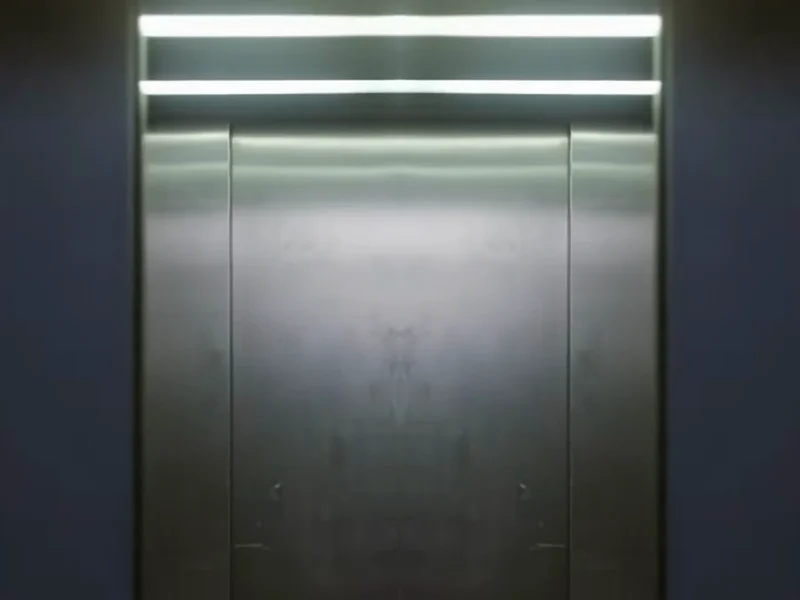
MusicFlick displays three 14-second elevator duo clips below so you can inspect the steel cabin, door entrance, 180-degree pivot, earbud gesture, and closing deadpan stare before spending credits. The first clip is the 4:3 template reference with its recorded audio; the other two previews play silently here (the third shows a vertical 9:16 wedding framing variation), while finished exports on this page render in 4:3 with the template audio. No live paid run has been tested on this page yet.
Formal tuxedo and blue-dress duo (template reference)
14 s · 4:3 · Template audio included. The 14-second template reference clip that guides the doors, walk-in pivot, wired earbud check, and side-by-side stare.
Casual black-shirt and white-tee duo (silent preview)
14 s · 4:3 · Muted preview. Shows the same 14-second walk-in choreography and brushed-steel cabin in casual outfits; finished downloads include the template soundtrack.
Wedding bride-and-groom duo (9:16 vertical variation, silent)
14 s · Vertical 9:16 framing variation · Muted preview. Follows the same 14-second entrance, phone glance, and stare beats in wedding attire; this page exports in 4:3 with the template audio.
Can you make a 365 elevator trend video for free on MusicFlick?
No — MusicFlick does not generate a free 365 elevator trend video. Watching the three examples and reviewing upload order is free without signing in, but creating a personalized 14-second 4:3 MP4 requires purchased credits starting at 578 credits ($5.78 at $0.01/credit), with no MusicFlick watermark added to paid exports.
New-account gift credits and the $4.99 Trial pack (165 credits) do not cover a single run on this template. From zero balance, the smallest one-time purchase that covers a 480p video is Starter ($9.90 for 900 credits), with no monthly subscription.
How does this 365 elevator trend tool compare to CapCut and other generators?
MusicFlick is our own browser-based Seedance 2.5 generator with two explicit photo slots, optional custom styling, and one-time credit packs starting at $9.90 (578 credits per 480p clip, no subscription). CapCut templates cut existing photos or clips to music but cannot synthesize a continuous 14-second walk-in and 180-degree turn from two still portraits. We are not affiliated with the other services below.
| Tool | Workflow & output | Published price | Free run? | Watermark |
|---|---|---|---|---|
| MusicFlick (this tool) | 2 photos, optional custom styling, 14 s 4:3 (480p/720p/1080p), audio | 578 credits 480p ($5.78); Starter $9.90 one-time | Free previews only; no free run | None on paid exports |
| MakeViral | 2 photos, Seedance 2.5, 14 s 720p, audio | 213 credits/video; packs from $39.99 one-time | No free run | None listed |
| Oeneo AI | 2 photos, 14 s 4:3 (720p/1080p), audio | 529 credits 720p; packs from $9.99 / 600 credits | 10 signup credits (not enough for 1 run) | Not stated on template page |
| MakeHit | 2 photos, 5 cabin presets, 14 s 4:3 (480p/720p), audio | 10 credits 480p ($4.99) / 20 credits 720p ($9.99) | Free previews only; no free run | None listed |
| PixQuill | 2 photos, Seedance 2.5, 14 s 4:3 480p, audio | 700 credits/video; plans from $4.99/mo, packs from $9.99 | Small signup bonus; full run is 700 credits | None listed |
| CapCut | Timeline templates for real video/photo cuts (no AI walk-in) | Free tier; CapCut Pro pricing varies by region | Free template edits (Pro features paid) | Ending card / Pro watermarks on some exports |
Checked 2026-11-24 against each provider’s public template and pricing pages without signing in or paying.
What is the 365 elevator trend and which song does it use?
The 365 elevator trend (also searched as the 365 Sampagne elevator or unexpected duo edit) is a November 2026 German-originated AI video meme set to Sampagne’s German single "365". One person waits inside a brushed stainless-steel elevator mouthing the song while an unexpected second person walks in back-first, pivots, puts in a wired earbud, checks a phone, and holds a deadpan stare beside them.
The elevator framing and soundtrack come from the German rapper Sampagne’s single "365", whose official video launched on November 12, 2026: sampagne - 365 (official video) on YouTube . In November 2026, German hip-hop media covered the viral AI unexpected-duo wave built around the "365" elevator scene, including reactions from featured artists in Hiphop.de’s November 23, 2026 report.
| Time | Photo 1 (right · waiting) | Photo 2 (left · walks in) |
|---|---|---|
| 0–1 s | Doors slide open; stands right of center gesturing and mouthing the opening line. | Starts entering from the left foreground edge with back to the camera. |
| 1–2.5 s | Holds position on the right facing the lens while gesturing subtly. | Steps to the left side of the cabin and pivots clockwise to face front. |
| 2.5–4.5 s | Raises right hand while mouthing along beside the second figure. | Places a white wired earbud in the right ear and glances at a phone in the left hand. |
| 4.5–8.5 s | Glances down and touches the right temple around 5–6.5 s, then looks back up. | Lowers both hands, tilts the head slightly, and tunes out calmly. |
| 8.5–14 s | Raises a finger around 9 s, gestures with an open palm around 12–13 s, holds camera gaze. | Stands deadpan on the left staring straight ahead through the closing frame. |
Pricing and credits for the 14-second 4:3 elevator clip
MusicFlick charges 578 purchased credits ($5.78 at the Pro pack rate of $0.01/credit) for one 14-second 4:3 video at 480p, 1,299 credits ($12.99) at 720p, and 3,855 credits ($38.55) at 1080p. All packs are one-time purchases with no subscription, and Starter ($9.90 for 900 credits) is the smallest pack covering a 480p run.
| Model | Resolution | Credits (14 s) | At $0.01/credit | Smallest covering pack |
|---|---|---|---|---|
| Seedance 2.5 | 480p | 578 | $5.78 | Starter · $9.90 |
| Seedance 2.5 | 720p | 1,299 | $12.99 | Plus · $24.90 |
| Seedance 2.5 | 1080p | 3,855 | $38.55 | Pro · $49.90 |
| Action | Cost, login & watermark |
|---|---|
| Watch examples & check slot order | Free, no sign-in required. |
| Generate one 14 s 4:3 duo MP4 | Sign-in + purchased credits only, from 578 credits ($9.90 Starter minimum). Sign-up gifts and the $4.99 Trial (165 credits) cannot fund a run. |
| Download finished MP4 with audio | Included with the generation; no MusicFlick watermark added. |
Purchased credits stay valid for 365 days across every MusicFlick tool. See all one-time credit packs on the MusicFlick pricing page.
What this 365 elevator edit cannot guarantee
MusicFlick prompts Seedance 2.5 using a real-person 14-second reference clip and has not yet run a paid live test on this page, so facial resemblance, clothing transfer, hand/earbud geometry, walking steps, and identity stability right after the 180-degree turn vary by photo, and traits from the reference performers may carry over. Output is locked to 14 seconds in 4:3 with the clip’s recorded audio (no 9:16 export, no custom song swap, and no music license included).
Refund policy by stage: if photo screening, asset review, or the video model fails or times out before delivering usable video, MusicFlick refunds your credits automatically. If the model delivers a valid video and only our final audio-mux or export step fails, credits are retained while support finishes your video from the saved provider output.
365 elevator trend FAQ
Which photo goes in Photo 1 and Photo 2, and how do I reduce face drift after the turn?
Put the person already waiting and singing on the right into Photo 1, and the person who walks in from the left and turns into Photo 2. To help the model hold likeness after the pivot, upload sharp, evenly lit, waist-up solo portraits facing the camera without sunglasses, heavy filters, or overlapping people; results still vary by photo.
Can I use a pet, a cartoon character, or two photos of myself at different ages?
Yes — you can pair two adult photos of yourself (such as past and present), a friend, a fictional or illustrated character, or a pet in either slot, though human blocking in the reference clip can make non-human anatomy unpredictable. Only upload photos of consenting adults (18+) or original characters you have permission to use; celebrity photos and film stills are not allowed.
Can I make this 365 Sampagne elevator video on an iPhone or Android browser without an app?
Yes. MusicFlick runs directly in Safari, Chrome, and desktop browsers on iOS, Android, macOS, and Windows with no app download or prompt writing required. All video rendering runs on our servers and delivers a downloadable 4:3 MP4.
Can I post the finished video to TikTok, Instagram Reels, or YouTube Shorts with the "365" audio?
You can download the 4:3 MP4 and post it to TikTok, Reels, or Shorts, where vertical feeds display slim top and bottom margins around the 4:3 frame. However, the export attaches the reference clip’s recorded "365" soundtrack without any commercial or personal music license; platforms may mute, claim, or restrict monetized or branded posts, and you should enable AI-generated content labels.
How are my uploaded photos and finished videos stored?
Uploaded photos are stored on MusicFlick’s storage at unlisted direct URLs so the video model can read them during asset review and generation; anyone holding the exact direct URL can open that file. Finished downloads are served through account-checked links in your project history, and we do not make unverified claims about third-party provider retention beyond their published policies.